Tap Share
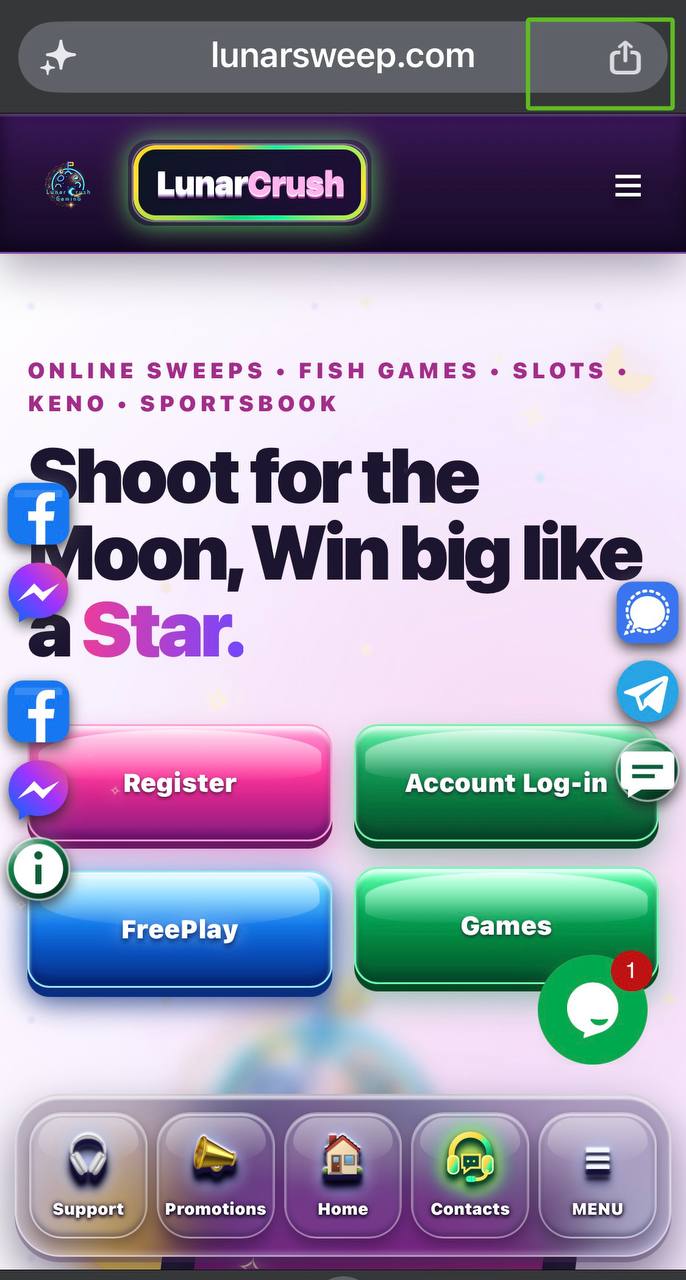
On the Lunar Crush homepage, tap the Share button beside the address bar. In some Safari layouts, open the page menu first, then choose Share.
 Lunar Crush
Your iPhone. Your Lunar shortcut.
Three simple steps, then open Lunar Crush straight from your iPhone.
Start here: open lunarsweep.com in Safari on your iPhone. Follow these steps from the homepage so your new icon opens Lunar Crush.
On the Lunar Crush homepage, tap the Share button beside the address bar. In some Safari layouts, open the page menu first, then choose Share.
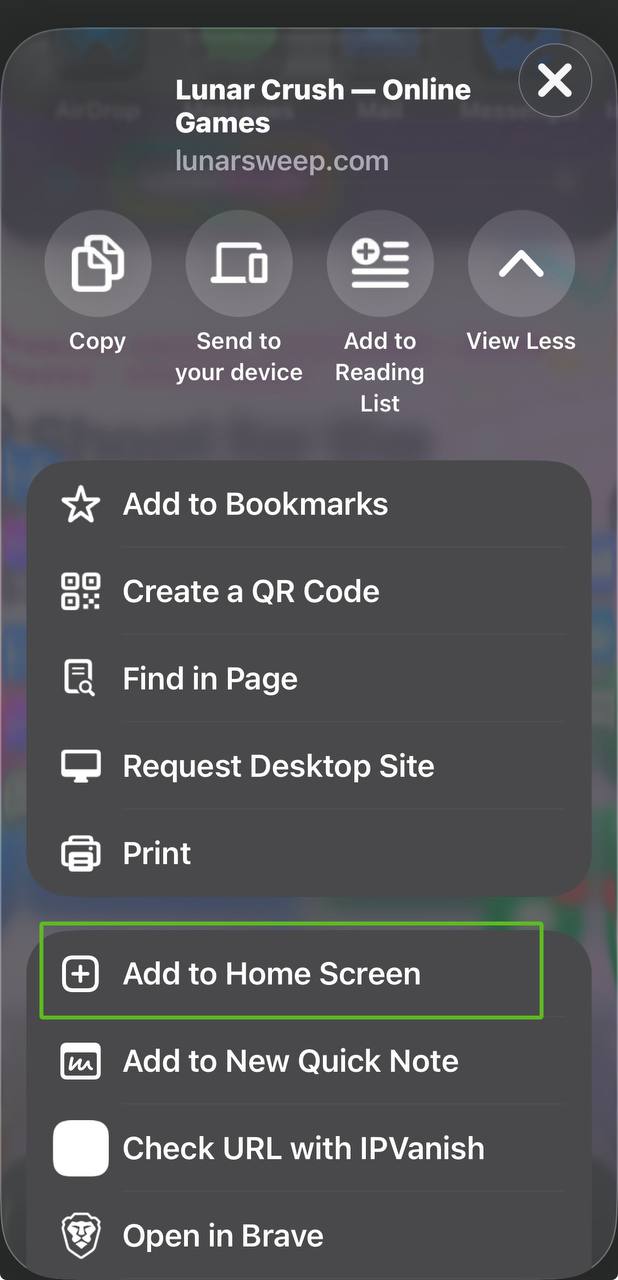
Scroll down the Share menu and tap Add to Home Screen. The highlighted option in the picture shows where to look.
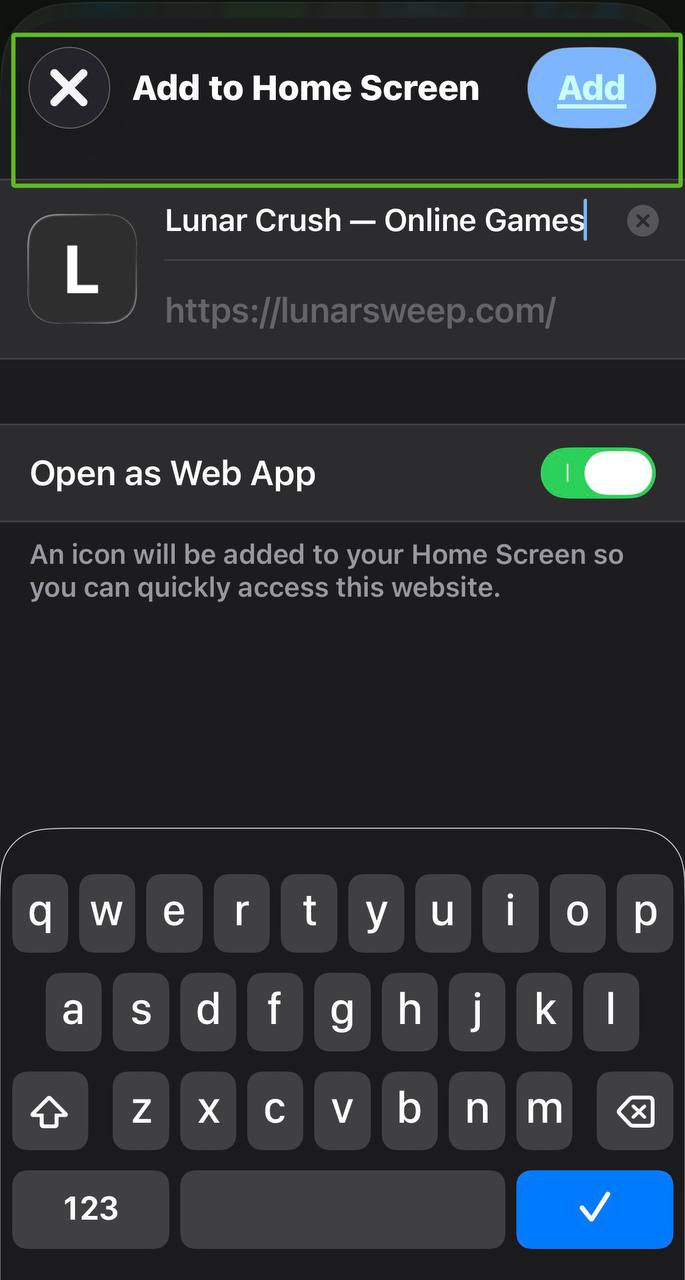
Keep Open as Web App on if shown. You can name it Lunar Crush, then tap Add at the top right.